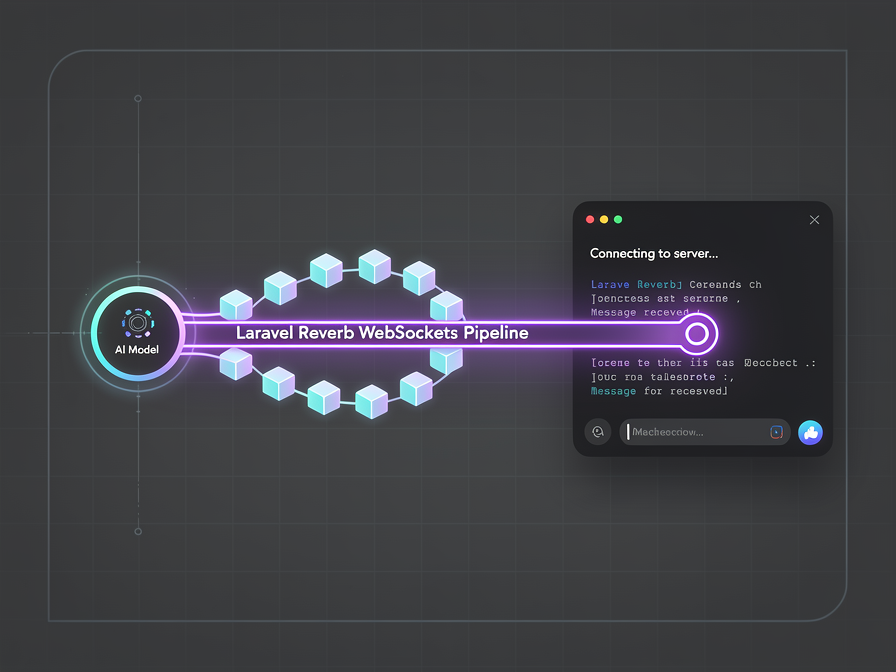
On our previous explorations of Building Real-Time Dashboards with Laravel 13 & Reverb and mastering the new first-party Laravel 13 AI SDK Agent Architecture, we looked at how to configure stand-alone AI agents and broadcast live payloads. However, when you marry these two worlds together to build an interactive chat interface, you hit a massive user experience bottleneck: API token latency.
Large Language Models (LLMs) take time to think. If your application waits for an upstream model provider (like OpenAI or Gemini) to completely generate a 300-word block of text inside a standard backend request lifecycle, your user is left staring at a dead loading spinner for 5 to 10 seconds. If your agent executes local tools mid-thought, that window stretches even longer.
The modern solution is token streaming. By leveraging the native streaming mechanics inside the Laravel 13 AI SDK, offloading execution to an asynchronous background worker, and fanning out text tokens through Laravel Reverb, you can stream answers word-by-word into the browser DOM in real time. Let’s build it.
Architectural Overview: Decoupled Real-Time Streaming
To prevent a heavy AI model loop from blocking our frontend interface, we split our system logic across three independent layers:
- The Livewire v4 Component: Captures the user's input, fires a lean HTTP request to store the message placeholder, and immediately renders a responsive UI shell.
- The Asynchronous Job: Picks up the message identifier from the queue runner, establishes a direct connection to the LLM streaming endpoint, and processes incoming tokens.
- The Laravel Reverb Engine: Consumes the tokens as they arrive at the server node and instantly broadcasts them down a WebSockets channel directly to the client browser layout.
Step 1: Setting up the Streaming AI Agent with laravel/ai
First, ensure your core agent is scaffolded and ready to handle typical message routing instructions. We don't need any complex formatting loops—the first-party SDK is optimized for streaming iterations natively.
PHP
// app/Ai/Agents/InteractiveAssistant.php
namespace App\Ai\Agents;

use Laravel\Ai\Contracts\Agent;
use Laravel\Ai\Promptable;
use Stringable;

class InteractiveAssistant implements Agent
{
    use Promptable;

    public function instructions(): Stringable|string
    {
        return "You are a lightning-fast technical assistant. Keep your explanations concise, structured, and tailored for rapid real-time rendering.";
    }
}
Step 2: Offloading to an Asynchronous Streaming Job
When an AI job runs inside a background worker, it cannot interact with traditional session states. Instead, we use a dedicated job file that consumes the stream loop and pushes individual text modifications outward via a custom broadcast event wrapper.
PHP
// app/Jobs/StreamAgentResponse.php
namespace App\Jobs;

use Illuminate\Bus\Queueable;
use Illuminate\Contracts\Queue\ShouldQueue;
use Illuminate\Foundation\Bus\Dispatchable;
use Illuminate\Queue\InteractsWithSockets;
use Illuminate\Queue\SerializesModels;
use App\Ai\Agents\InteractiveAssistant;
use App\Events\TokenReceived;
use Illuminate\Support\Facades\Ai;

class StreamAgentResponse implements ShouldQueue
{
    use Dispatchable, InteractsWithSockets, Queueable, SerializesModels;

    public function __construct(
        public string $conversationId,
        public string $userPrompt
    ) {}

    public function handle(): void
    {
        $agent = new InteractiveAssistant();

        // Initiate the streaming chunk loop via the Laravel AI SDK
        $stream = Ai::agent($agent)->stream($this->userPrompt);

        foreach ($stream as $chunk) {
            // Broadcast every text fragment immediately across WebSockets
            broadcast(new TokenReceived(
                $this->conversationId,
                $chunk->text
            ))->toOthers();
        }
    }
}
Step 3: Configuring the Real-Time Broadcaster via Laravel Reverb
Next, we establish our broadcasting channel using Laravel's high-performance, native WebSocket engine: Laravel Reverb. This channel will act as our real-time token conduit.
PHP
// app/Events/TokenReceived.php
namespace App\Events;

use Illuminate\Broadcasting\Channel;
use Illuminate\Broadcasting\InteractsWithSockets;
use Illuminate\Contracts\Broadcasting\ShouldBroadcastNow;
use Illuminate\Foundation\Events\Dispatchable;
use Illuminate\Queue\SerializesModels;

class TokenReceived implements ShouldBroadcastNow
{
    use Dispatchable, InteractsWithSockets, SerializesModels;

    public function __construct(
        public string $conversationId,
        public string $token
    ) {}

    public function broadcastOn(): array
    {
        return [
            new Channel("chat.{$this->conversationId}"),
        ];
    }
}
Note: By implementing ShouldBroadcastNow, we instruct Laravel to bypass standard queue queues for our outgoing broadcast messages, delivering the token tokens to Reverb with zero added latency.
Step 4: Building the Livewire v4 Non-Blocking Interface
Finally, we construct our presentation layer using Livewire v4. Livewire intercepts the WebSocket channel securely and appends incoming token streams smoothly to our UI state array without forcing a full-page reload or losing focus on our text boxes.
PHP
// app/Livewire/ChatWindow.php
namespace App\Livewire;

use Livewire\Component;
use App\Jobs\StreamAgentResponse;
use Illuminate\Support\Str;

class ChatWindow extends Component
{
    public string $conversationId;
    public string $prompt = '';
    public array $messages = [];
    public string $streamingResponse = '';

    public function mount(): void
    {
        $this->conversationId = Str::uuid()->toString();
    }

    // Register listeners that bind directly to Laravel Reverb events
    public function getListeners(): array
    {
        return [
            "echo:chat.{$this->conversationId},TokenReceived" => 'appendToken',
        ];
    }

    public function appendToken(array $payload): void
    {
        // Append incoming token string fragments to our reactive display string
        $this->streamingResponse .= $payload['token'];
    }

    public function sendMessage(): void
    {
        if (empty(trim($this->prompt))) return;

        // Save the user input to the structural presentation array
        $this->messages[] = ['role' => 'user', 'text' => $this->prompt];

        // Dispatch the async processing stream container
        StreamAgentResponse::dispatch($this->conversationId, $this->prompt);

        // Clear input variables and reset streaming wrappers
        $this->prompt = '';
        $this->streamingResponse = '';
    }

    public function render()
    {
        return view('livewire.chat-window');
    }
}
And in your corresponding Blade blueprint file (resources/views/livewire/chat-window.blade.php), map the state loops cleanly:
HTML
<div class="p-6 bg-gray-900 text-white rounded-lg">
    <div class="h-96 overflow-y-auto space-y-4 mb-4">
        @foreach($messages as $msg)
            <div class="{{ $msg['role'] === 'user' ? 'text-right text-blue-400' : 'text-left text-green-400' }}">
                <p class="text-sm font-semibold">{{ ucfirst($msg['role']) }}:</p>
                <p class="bg-gray-800 p-2 rounded inline-block">{{ $msg['text'] }}</p>
            </div>
        @endforeach

        @if(!empty($streamingResponse))
            <div class="text-left text-green-400">
                <p class="text-sm font-semibold">Agent:</p>
                <p class="bg-gray-800 p-2 rounded inline-block transition-all duration-75">
                    {{ $streamingResponse }}<span class="animate-pulse">|</span>
                </p>
            </div>
        @endif
    </div>

    <form wire:submit.prevent="sendMessage" class="flex gap-2">
        <input type="text" wire:model="prompt" class="flex-grow p-2 rounded bg-gray-800 border border-gray-700 text-white" placeholder="Ask your agent anything...">
        <button type="submit" class="bg-blue-600 px-4 py-2 rounded font-bold hover:bg-blue-500">Send</button>
    </form>
</div>
Optimization Strategies: Throttling Frontend Redraw Operations
When implementing streaming architectures at scale over high-throughput model endpoints (like Groq or DeepSeek), the model can occasionally output upwards of 100 tokens per second. If your Laravel Reverb configurations push 100 independent events per second down to the browser client, the excessive DOM modifications can easily cause your browser layout thread to hang.
To protect client memory pools under high-velocity conditions:
- Buffer Token Payloads: Instead of emitting an independent broadcast request for every letter, aggregate tokens inside a micro-buffer loop inside your background workers (e.g., using
time_nanosleepor minor chunk limits) to send unified groups of 3 to 5 words per individual broadcast payload. - Debounce UI Updates: Rely on modern frontend frameworks or simple custom AlpineJS intercept scripts inside your view engines to throttle immediate element rendering steps to a controlled 60fps window.
FAQ: Frequently Asked Questions on Real-Time PHP AI Infrastructure
Q: Can this real-time pipeline handle multi-turn conversations?
Yes. To convert this into a stateful, long-term chat application, simply ensure your underlying agent class implements the native Conversational interface and matches records against persistent database keys inside your job cycles.
Q: Is Laravel Reverb scale-capable for large crowds of streaming users?
Absolutely. Because Reverb is built with high-throughput event loops backed by an asynchronous engine, a single production server node can easily sustain thousands of concurrent open WebSocket connections, rendering streaming channels incredibly cheap compared to legacy pusher setups.
Related Articles

Discussion
Leave a comment
Comments are moderated before appearing.
No comments yet — be the first to share your thoughts.