The Department of One: Orchestrating AI Workflows in Laravel 13
We’ve all seen the basic "Hello World" of AI: you send a prompt, you get a string back. It’s neat, but for anything serious—like a real-time search intelligence engine—it’s just not enough. You know what? One prompt is rarely enough to solve a real business problem.
In 2026, the best apps aren't just "calling AI"; they are orchestrating it. Using the Laravel 13 AI SDK (the evolution of what many of us knew as Prism), we can now build multi-step workflows where specialized agents talk to each other. It’s like turning your backend into a small, highly efficient department of experts.
The "Chain of Thought" Pattern
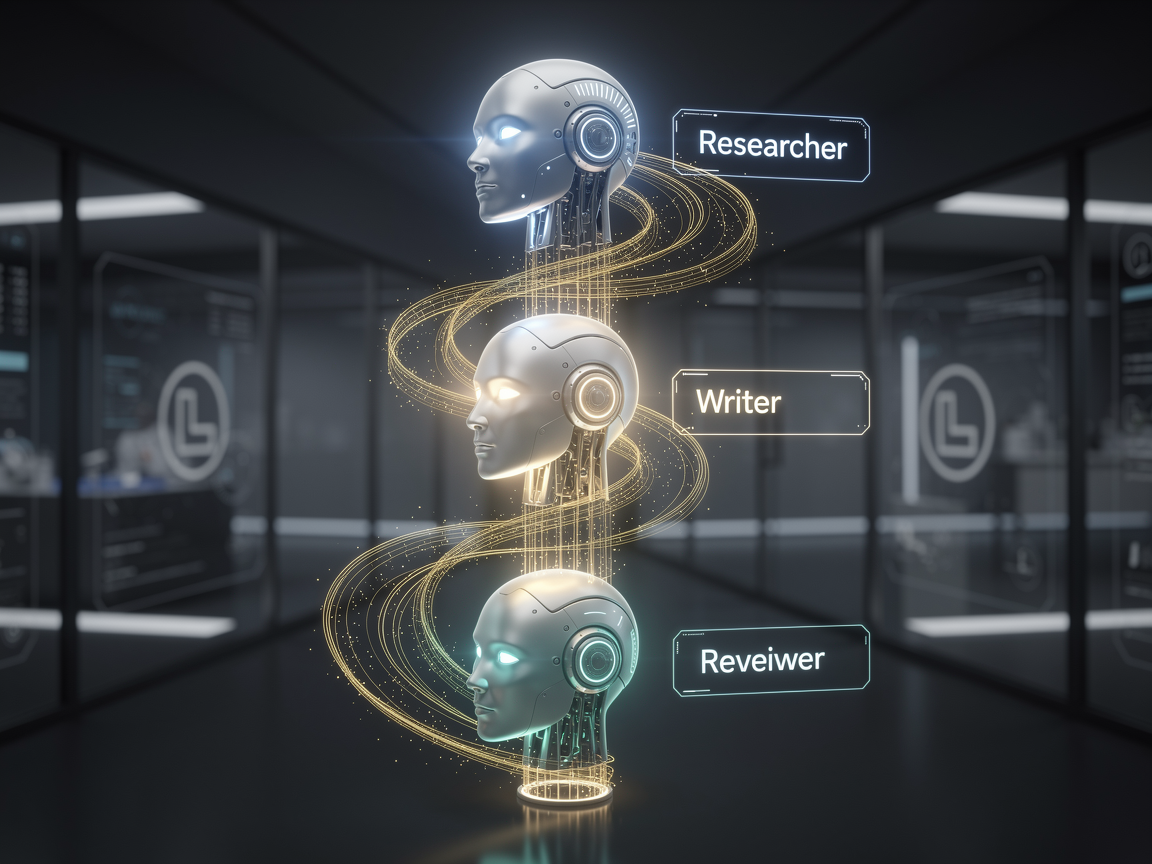
Think of it like an assembly line. Instead of asking one AI to "Write a 500-word technical blog post," we break it down:
- The Researcher: Scans your data and pulls out key facts.
- The Writer: Takes those facts and drafts the prose.
- The Critic: Reviews the draft for tone and technical accuracy.
Let’s look at how we actually build this.
Step 1: Define Your Specialist Agents
In Laravel 13, agents are first-class citizens. You can generate them with a simple command:
Bash
php artisan make:agent TechnicalWriter
Inside your agent, you define the "persona" and the tools it has access to. Honestly, this is where the magic happens. You aren't just sending a prompt; you’re defining a role.
Step 2: Orchestrating the Workflow
The power of the new SDK lies in the Pipeline. It allows you to pass data from one agent to the next smoothly. Here’s a simplified version of a multi-step "Content Engine":
PHP
use Laravel\Ai\Facades\Ai;

$result = Pipeline::make()
    ->send($userRequest)
    ->through([
        new App\Ai\Agents\ResearcherAgent(),
        new App\Ai\Agents\WriterAgent(),
        new App\Ai\Agents\EditorAgent(),
    ])
    ->then(fn ($content) => $content->save());
The Real-World Example: An Automated Support Triage
Let’s get a bit more detailed. Imagine a support system where the AI needs to:
- Classify the sentiment and urgency.
- Retrieve previous transcripts (using that vector database knowledge we talked about).
- Draft a response using the correct brand voice.
PHP
// 1. The Classifier (Structured Output)
$classification = (new SupportTriageAgent)->prompt($ticket->body);

if ($classification->urgency === 'high') {
    // 2. The Researcher (Using Tools)
    $context = (new HistoryResearcherAgent($ticket->user))
        ->prompt("What were the last 3 issues this user faced?");

    // 3. The Drafter (Final Output)
    $response = (new ResponseAgent($context))
        ->prompt("Draft a empathetic response to: " . $ticket->body);
}
By splitting these into steps, you reduce "hallucinations" because each agent has a much smaller, more focused task. It’s the difference between asking a generalist to fix your car and hiring a specialized mechanic.
Why this matters for your 2026 stack
You might wonder, "Can't I just do this with one big prompt?" Sure, you could. But as a solution architect, you know that modular logic is easier to test and debug. If the "Editor" is being too aggressive, you can tweak that one agent without breaking the "Researcher."
Plus, with the new Automatic Failover in the SDK, if your primary provider (like OpenAI) is having a bad day, the pipeline can automatically switch to Anthropic or Gemini mid-workflow without dropping the request. That’s the kind of reliability that moves a project from "cool demo" to "enterprise ready."
Related Articles
Discussion
Leave a comment
Comments are moderated before appearing.
No comments yet — be the first to share your thoughts.